
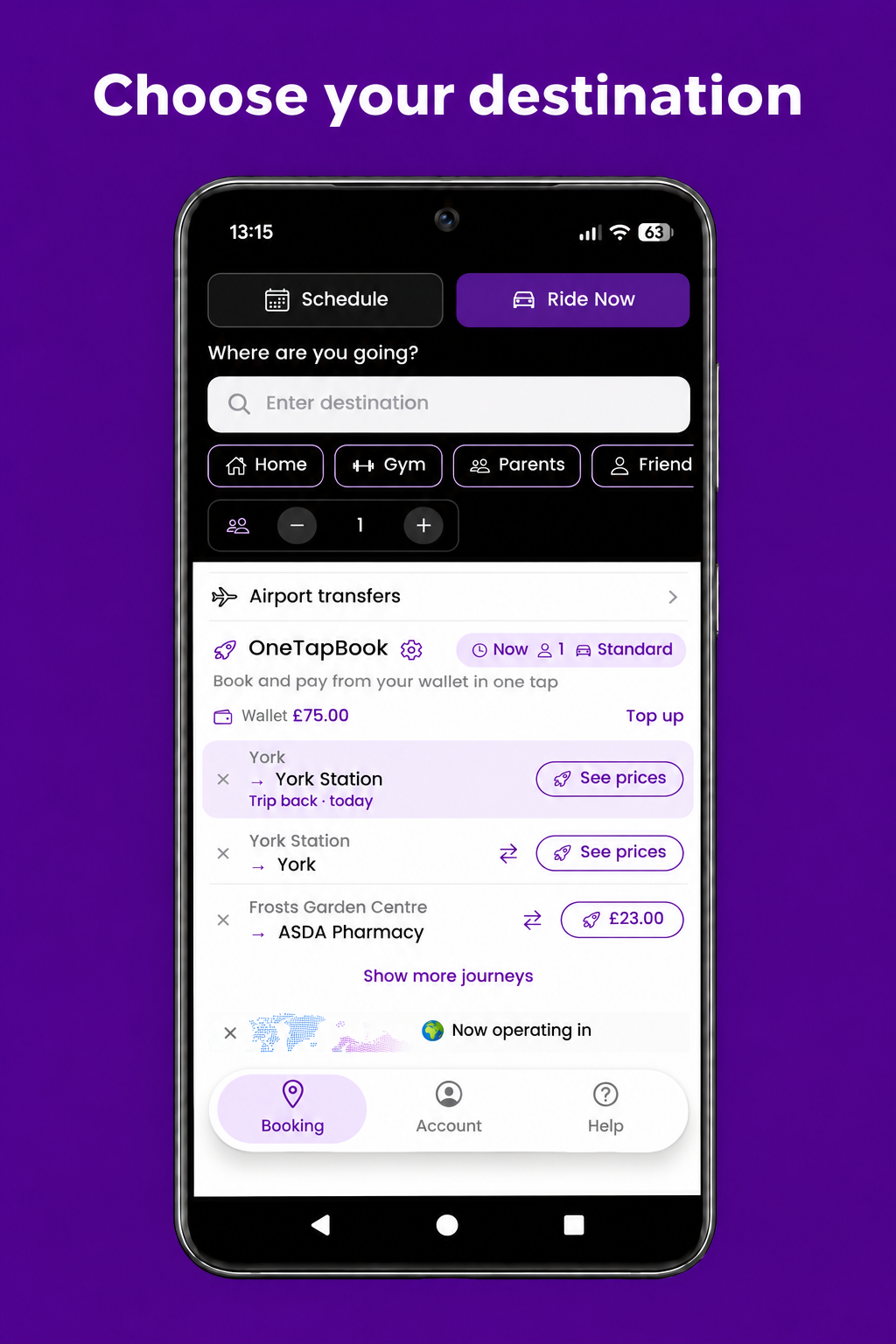
Select Ride Now, then tap Enter destination or choose a saved place such as Home or Gym. Use + and − to set the number of passengers.
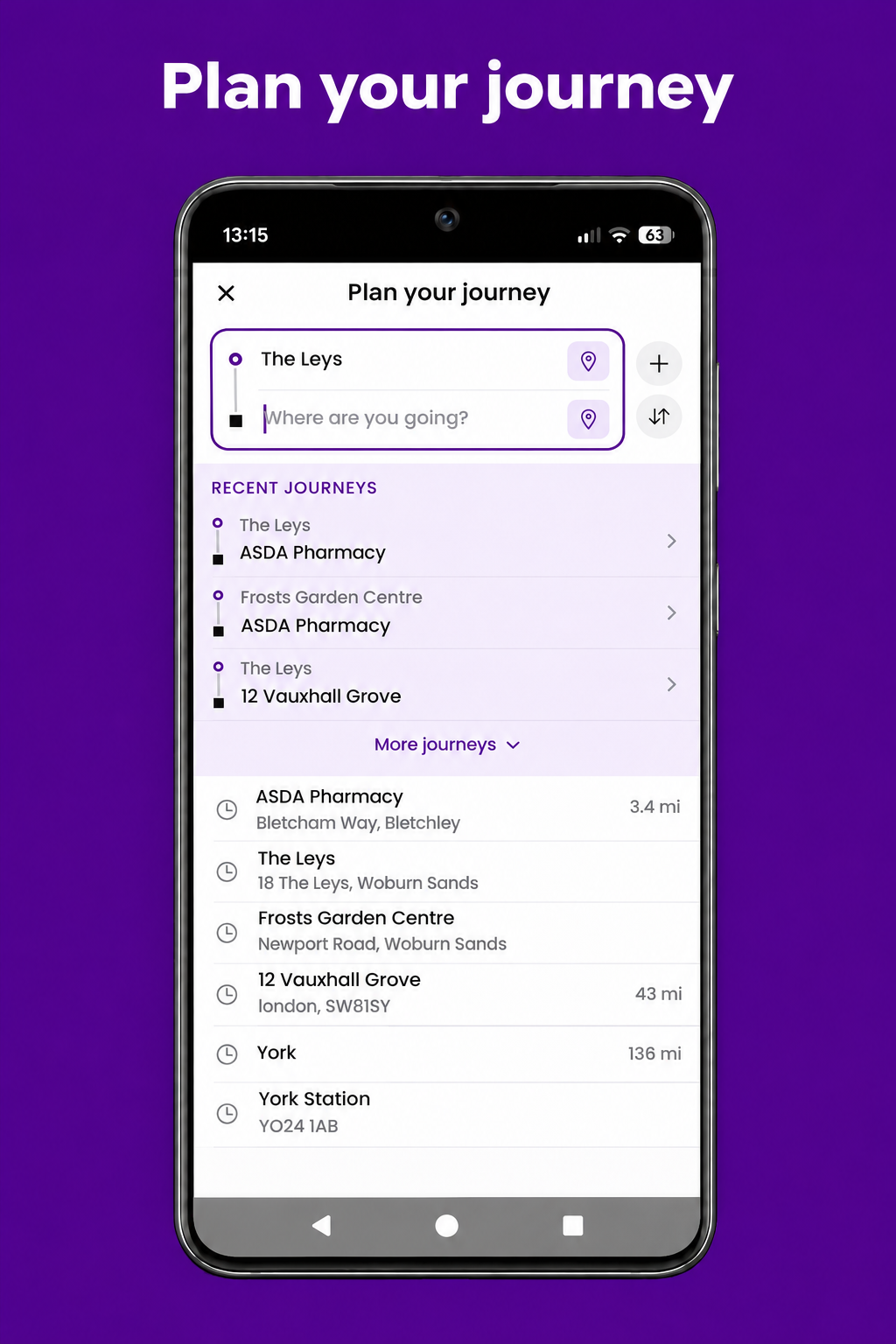
If location access is enabled, the app uses your current location as the pickup point. Tap the pickup field to change it, then tap Where are you going? to enter your destination. You can also select a route under Recent journeys to fill in both locations.
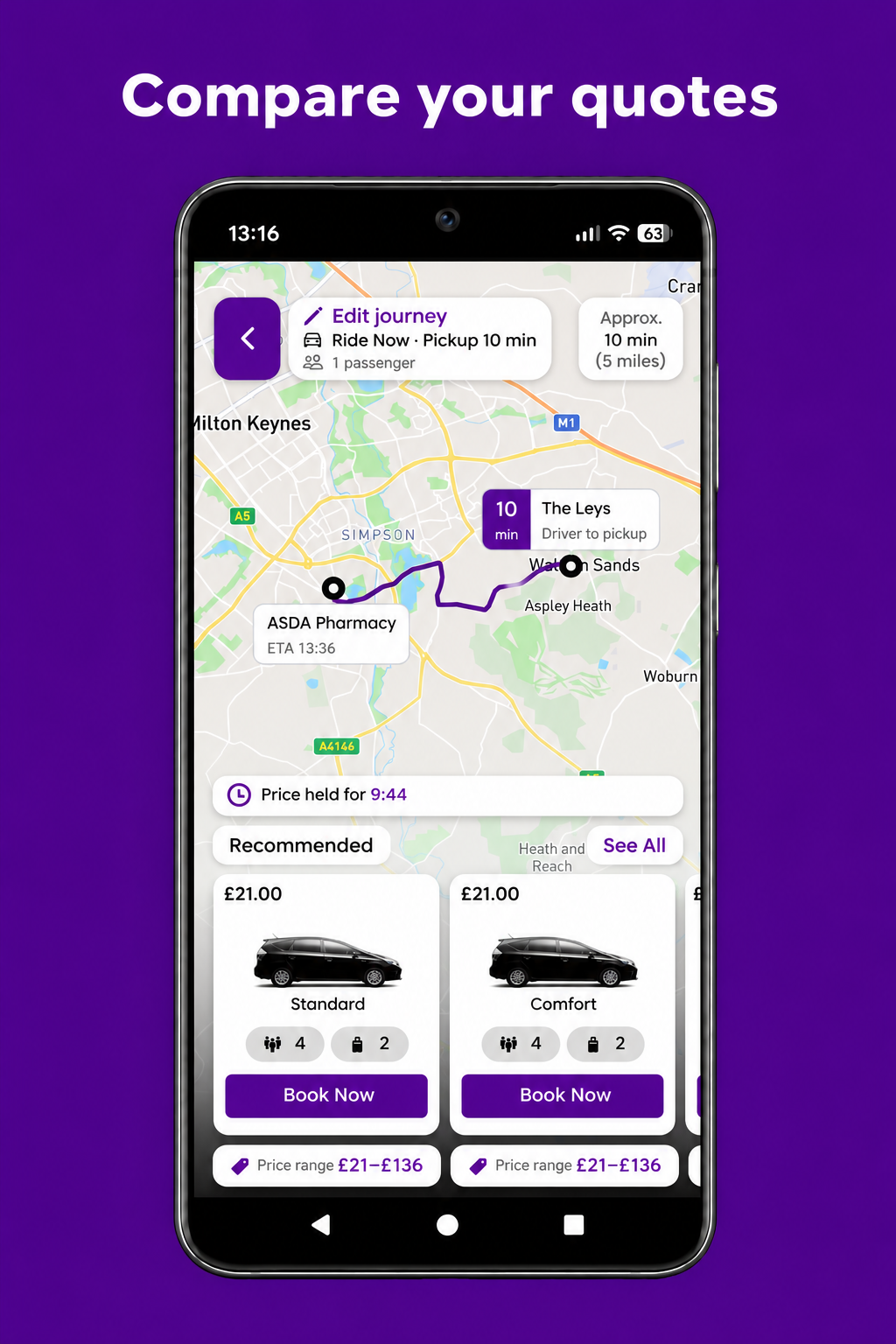
Check the estimated pickup and arrival times, compare fares and see how many passengers and bags each vehicle can carry. Tap See All to browse the available options or Edit journey to change your details.
The Price held for countdown shows how long the displayed prices are held. Tap Book Now on your chosen vehicle to continue.
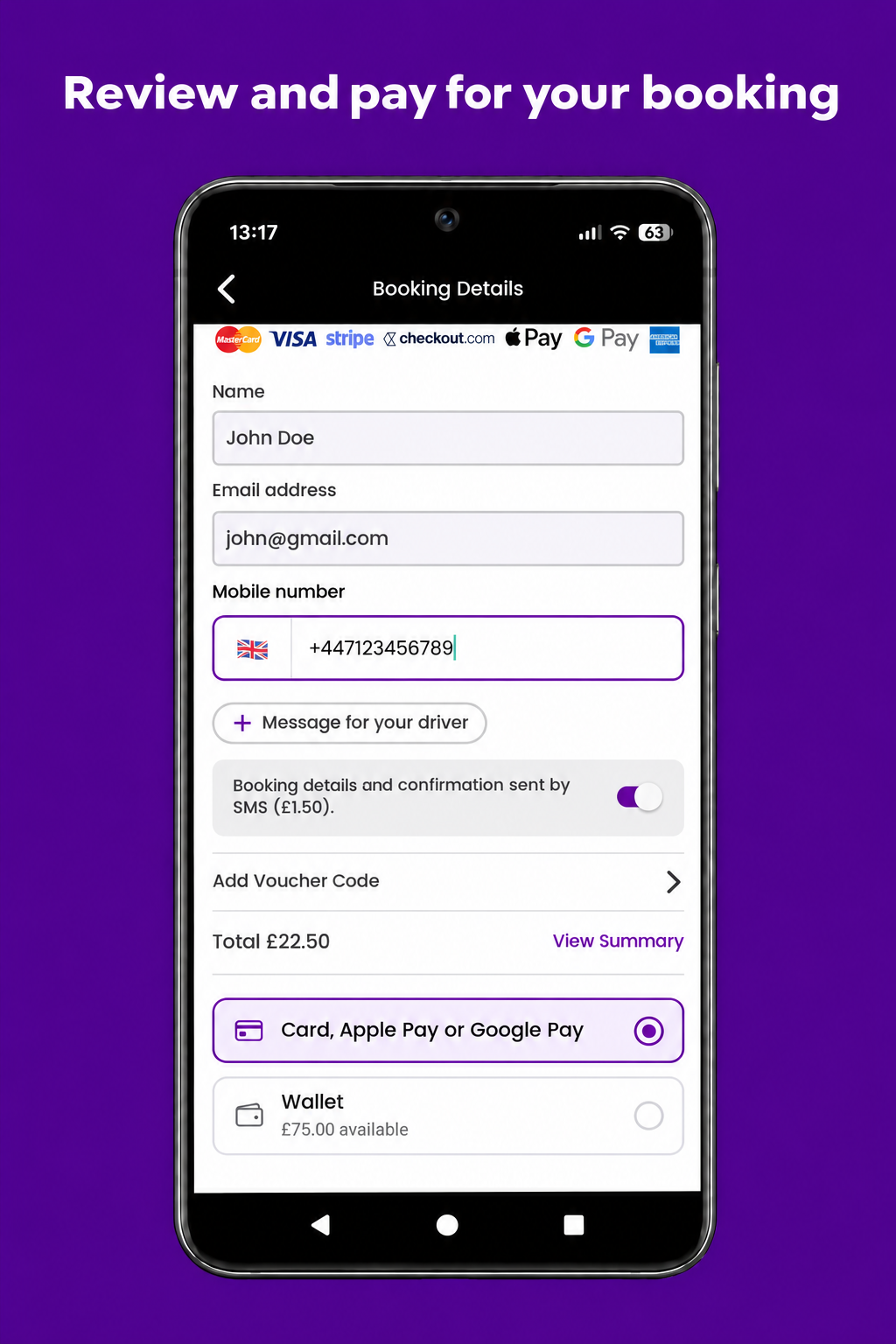
Enter your name, email address and mobile number. Tap Message for your driver to add a pickup instruction, such as which entrance you’re waiting at.
If you have a voucher, tap Add Voucher Code. Use View Summary to check your booking details and total. Choose card, Apple Pay, Google Pay or your Taxicode Wallet, then scroll down and tap Pay Now.
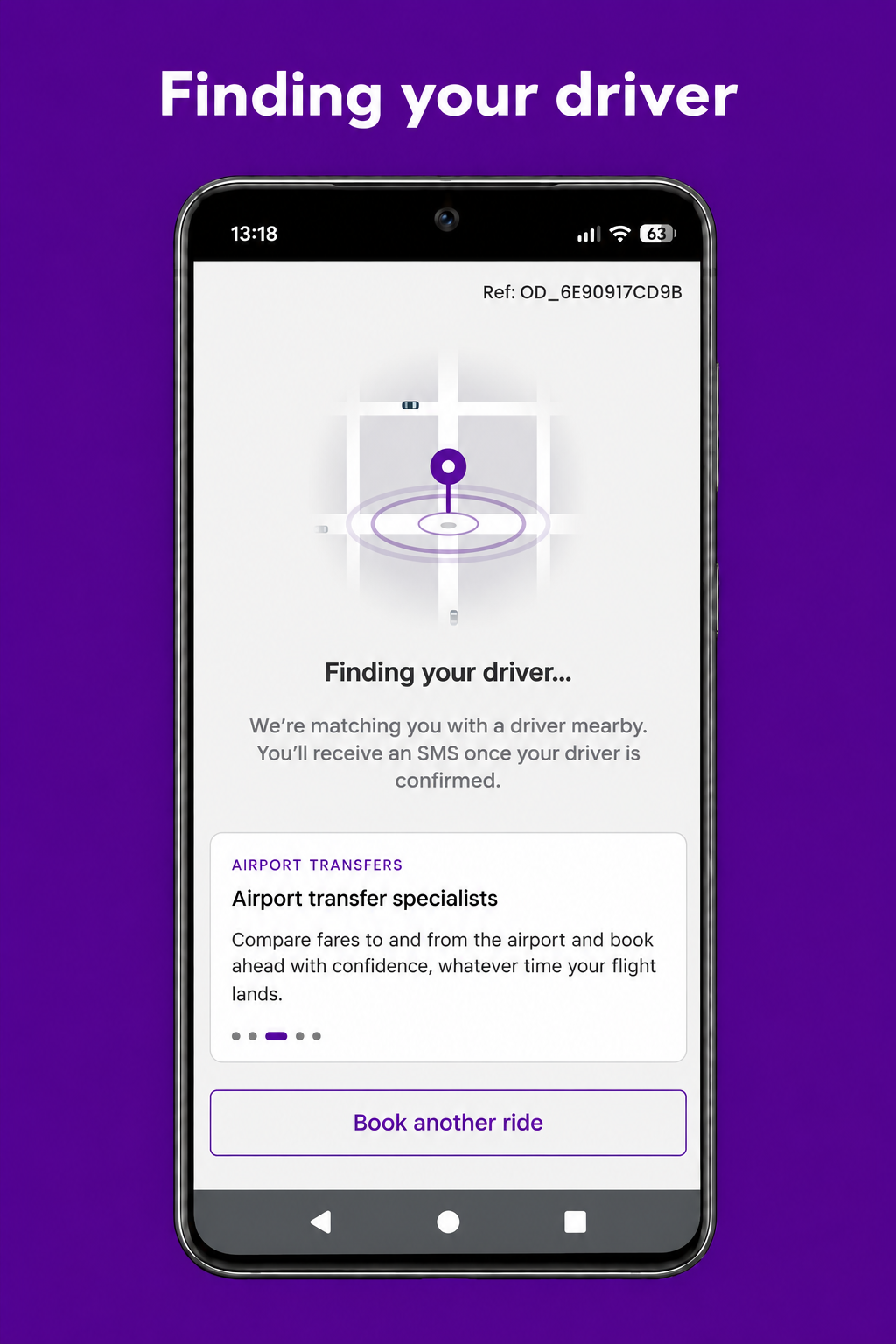
After you pay, you’ll see Finding your driver while we match you with a nearby driver. Your booking reference appears at the top of the screen.
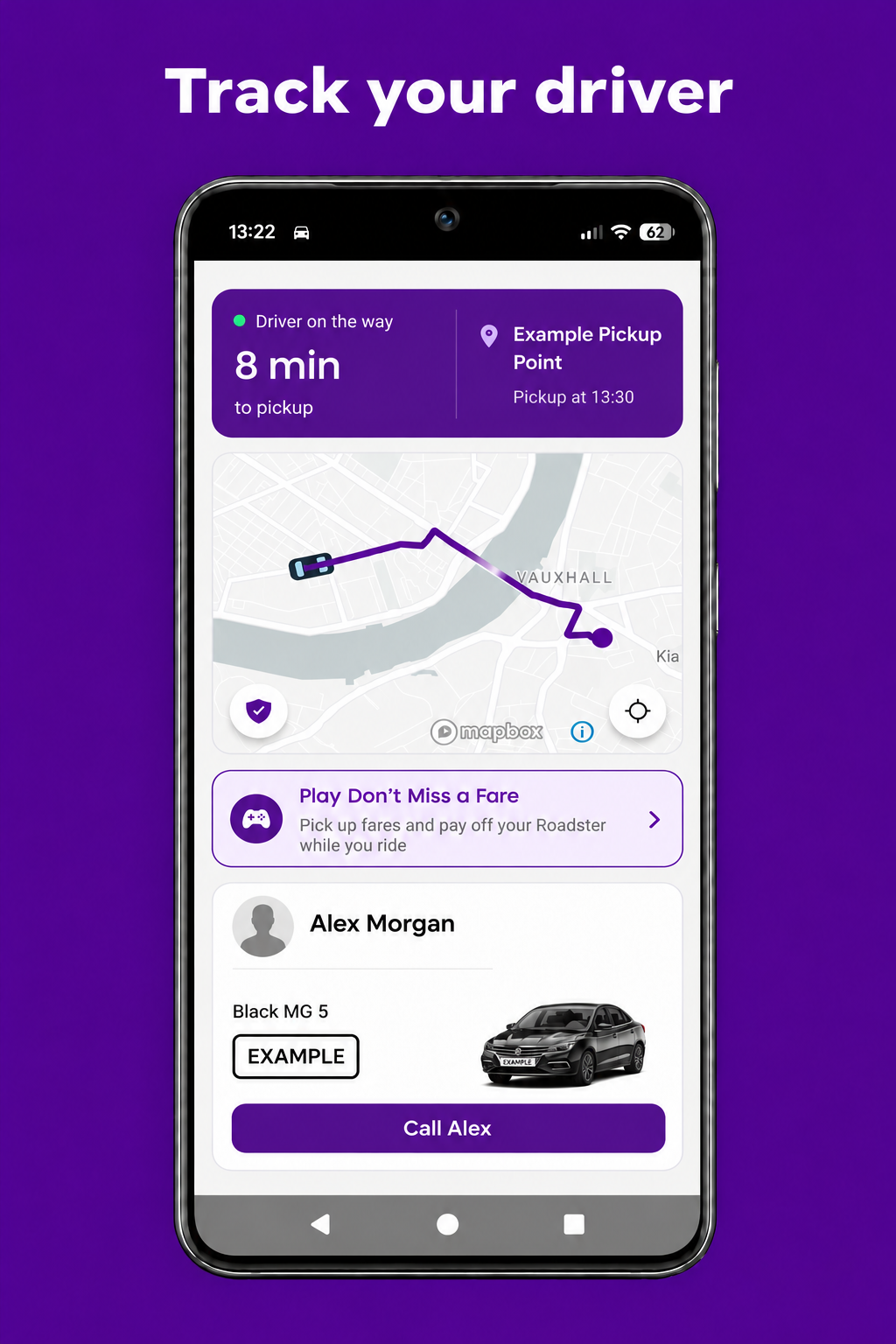
Once your driver is on the way, follow their progress on the live map and check how long until pickup. You can see the driver’s name and the vehicle’s colour, model and registration so you know which car to look for.
If you need to get in touch, use the call button or scroll down and tap Message driver (SMS or WhatsApp).
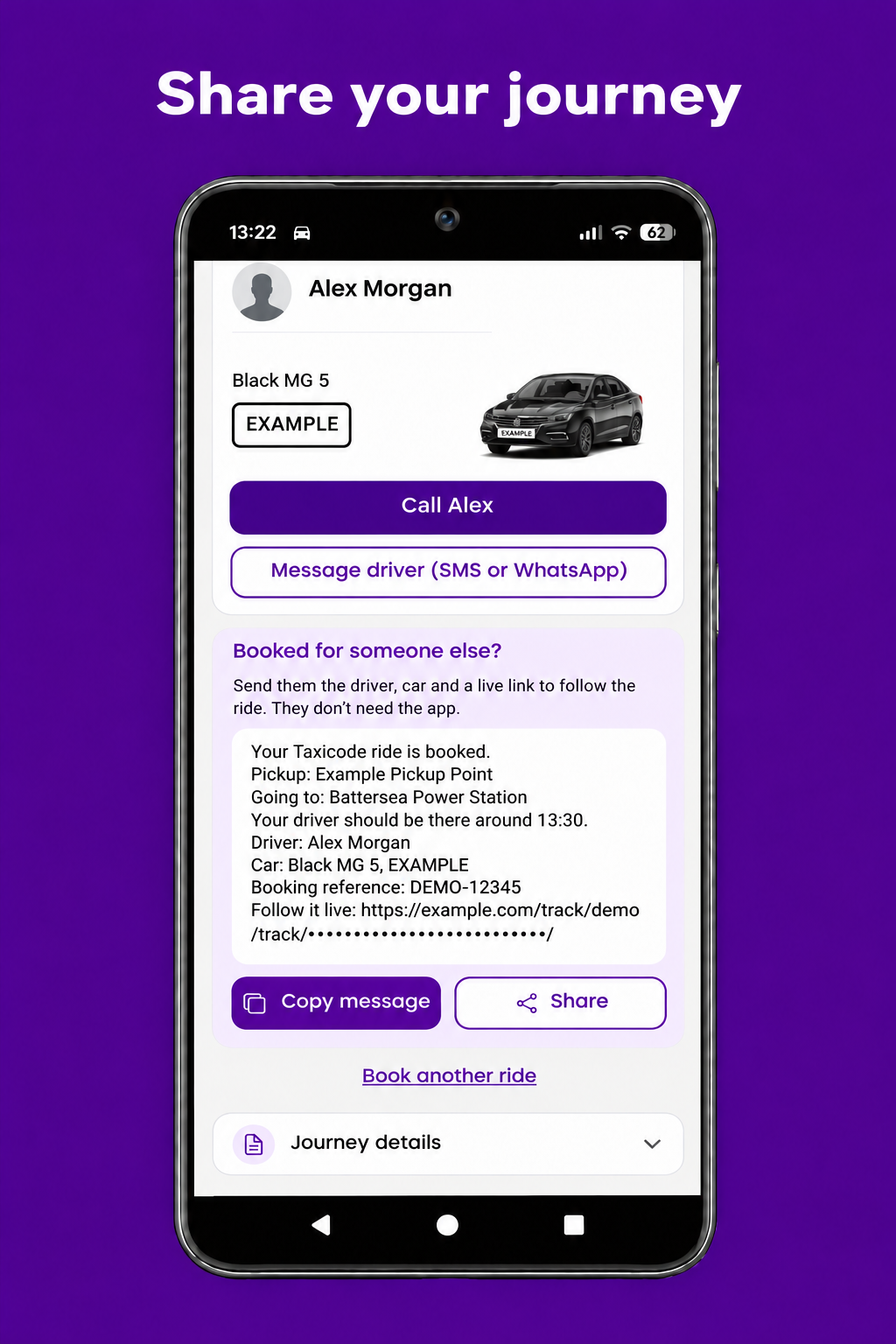
Under Booked for someone else?, tap Share to send the journey details by WhatsApp or text. You can also tap Copy message to paste them into a conversation.
The message includes the pickup and destination, estimated pickup time, driver and vehicle details, and a live tracking link. The recipient can follow the ride without downloading the Taxicode app.